Results & mistakes
After you submit, the Result page gives you the full picture: how much you got right, where you went wrong, and how to turn those mistakes into future review. The key thing to understand: this page isn't a place to "check your score and move on" — it's the STARTING point of the long-term memory loop, where one misheard word becomes a card that comes back right when you're about to forget it.
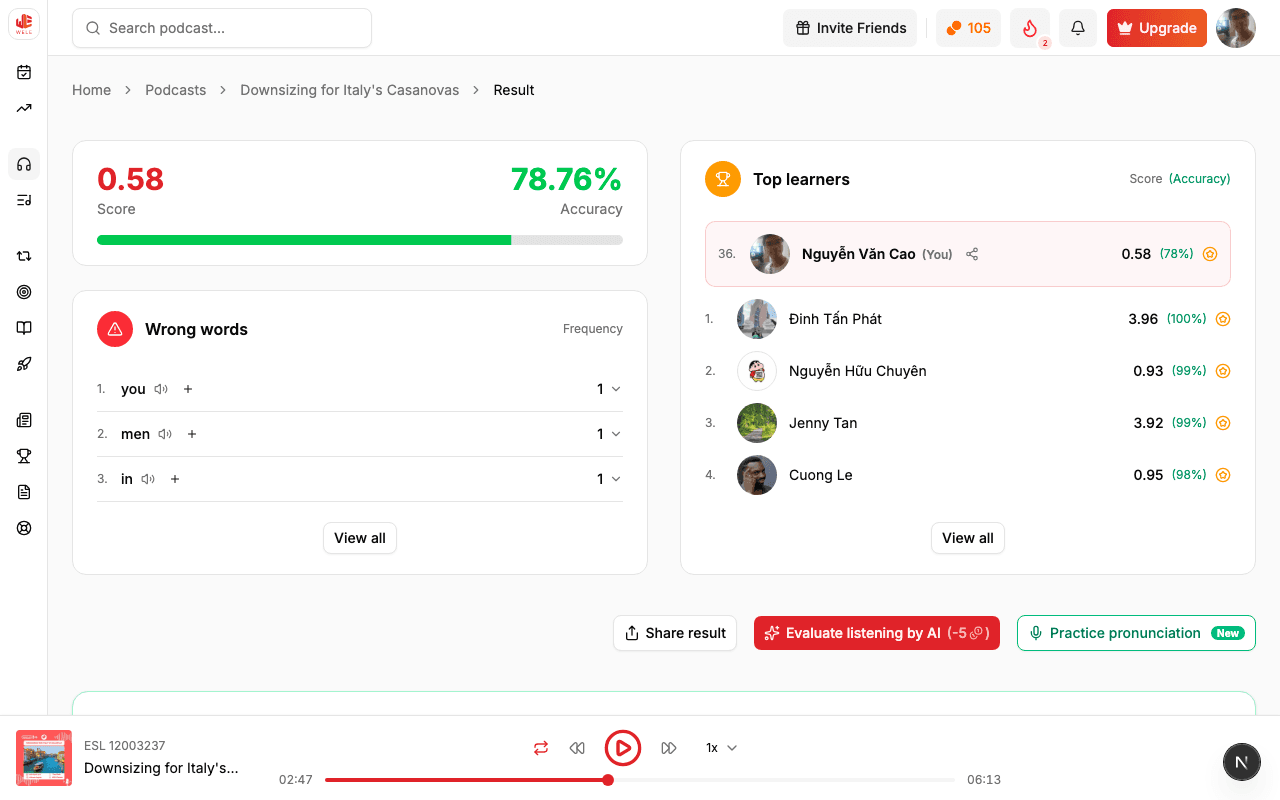
Score & accuracy
The overview shows your Score and Accuracy %. Next to it is a "Wrong words" table sorted by frequency, and a "Top learners" leaderboard for this exercise — including your own position.
Why sort wrong words by frequency? Because a word you left blank three times in one exercise is a weakness more urgent to fix than one you missed only once. Putting the repeat offenders at the top helps you focus on what's really getting in the way of your listening.
Word-by-word comparison
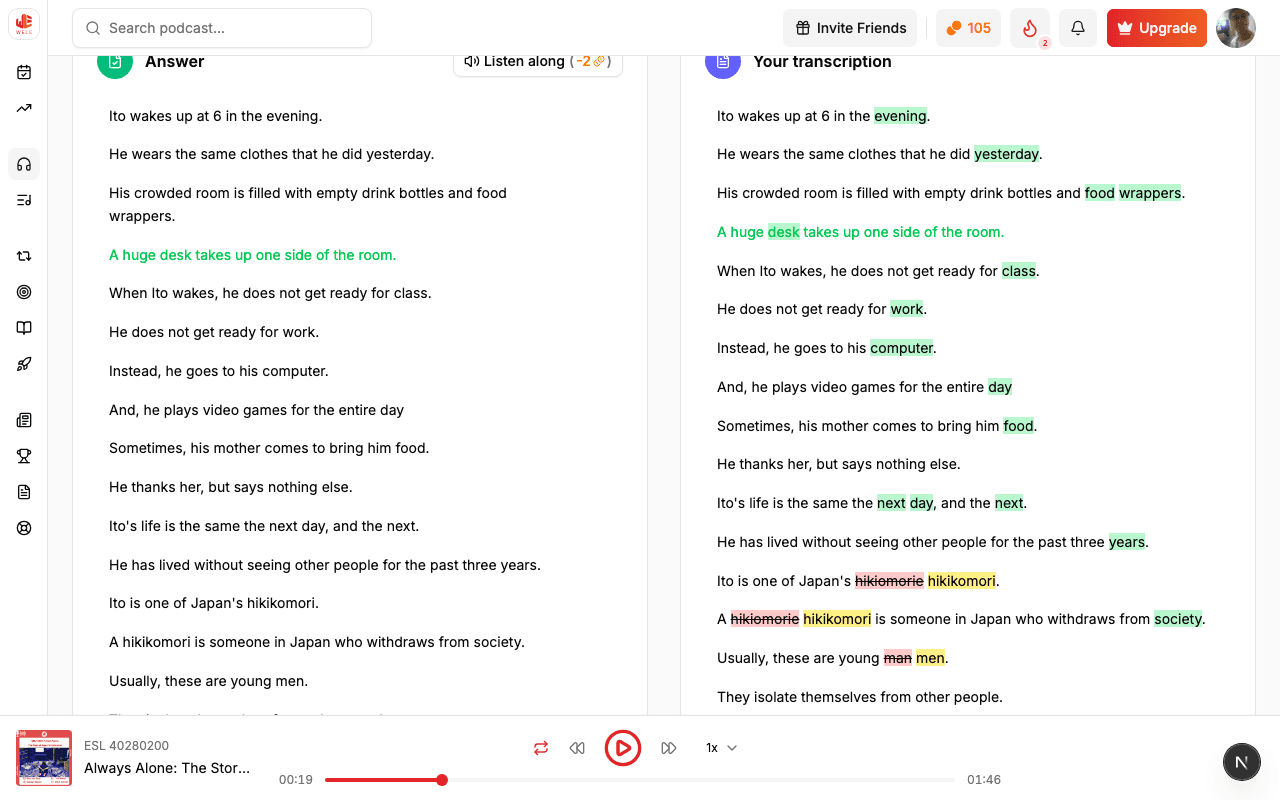
The answer column shows the full transcript. Each blank you filled in is compared with the correct answer, with a "you wrote: ___" line so you can see exactly where you went off. Putting "what was said" next to "what you heard" matters: it turns a vague mistake into a concrete difference your ear can learn to tell apart next time.
You can turn on "Listen along" (−2 coins) to replay each sentence, or hover over a sentence and click the microphone to practice pronouncing that exact sentence. Replaying the exact part you got wrong, while you still remember what you got wrong, is the most effective way to retrain your ear.
AI coaching & analysis
"Evaluate listening by AI" (−5 coins) gives you overall feedback on the whole exercise. With Premium, each wrong word also gets its own explanation (coach) that spells out what your ear missed — in everyday language, with no grammar jargon, and worded to match your CEFR band so it's neither too advanced nor too simple.
Even without Premium, if you hit a near-miss that isn't in the shared cache yet, you still get an L1-level explanation plus a prompt to unlock coaching — no mistake is ever left without an explanation.
Save words to review
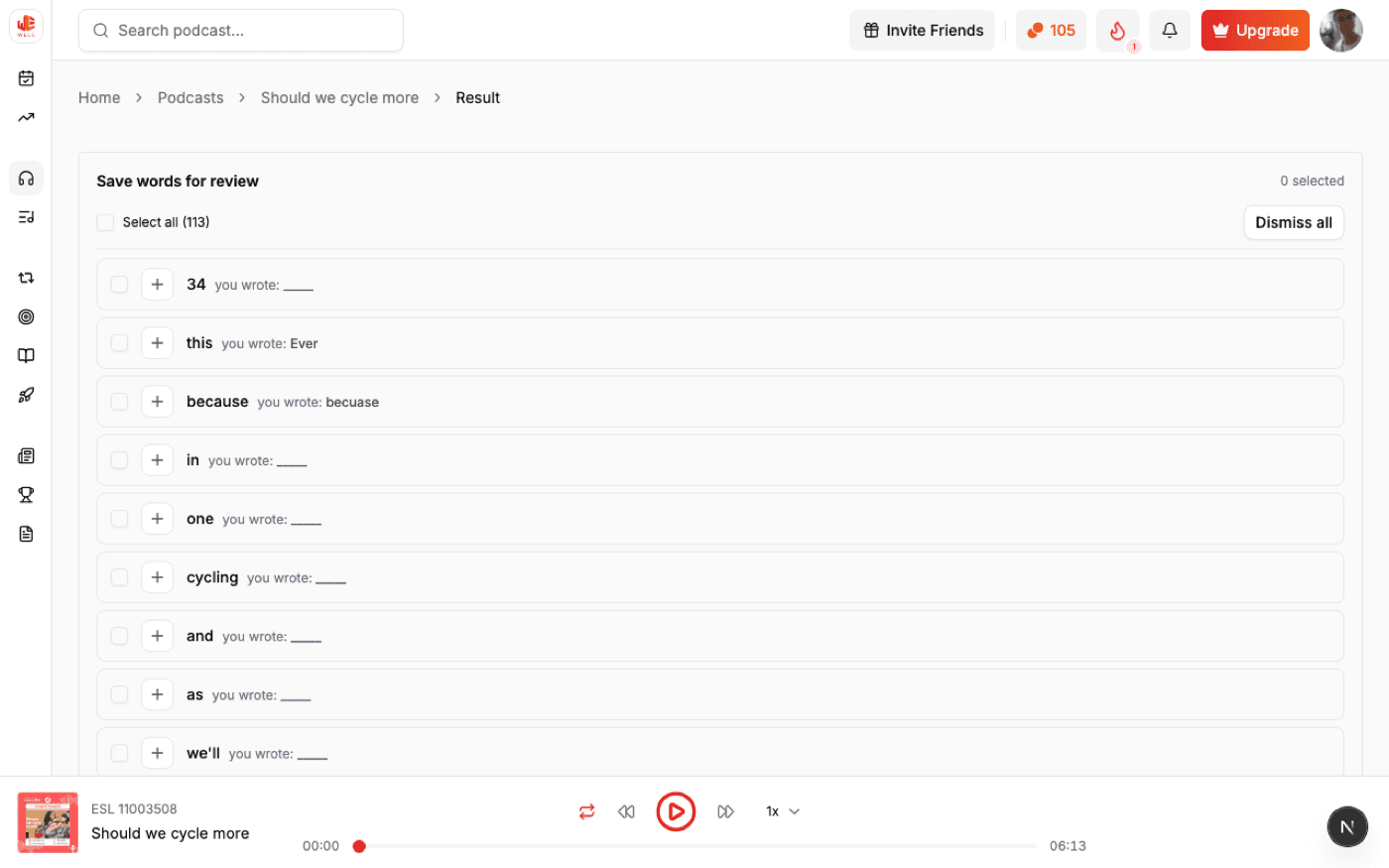
At the top of the page is the "Save words for review" list. Tick individual words (or Select all) to add them to your FSRS review queue. Words you left blank or got wrong are suggested for you — this is the bridge that turns a single mistake into long-term memory.
Why not save every word? Because your review time is limited, and it should go to words worth remembering. WELE prioritizes common, high-value words for review; very rare words or proper names (which you're unlikely to meet again) are usually skipped so your queue doesn't get diluted (see Review).
Did you know
- The results page isn't just for checking your score: it's where the review loop begins — every word you save comes back on its own right when you're about to forget it.
- The "Wrong words" table is sorted by frequency, not by order of appearance, so the words holding you back the most are always at the top.
- Even free users who hit a near-miss that isn't already in the shared cache still get an L1-level explanation, plus a prompt to unlock coaching.